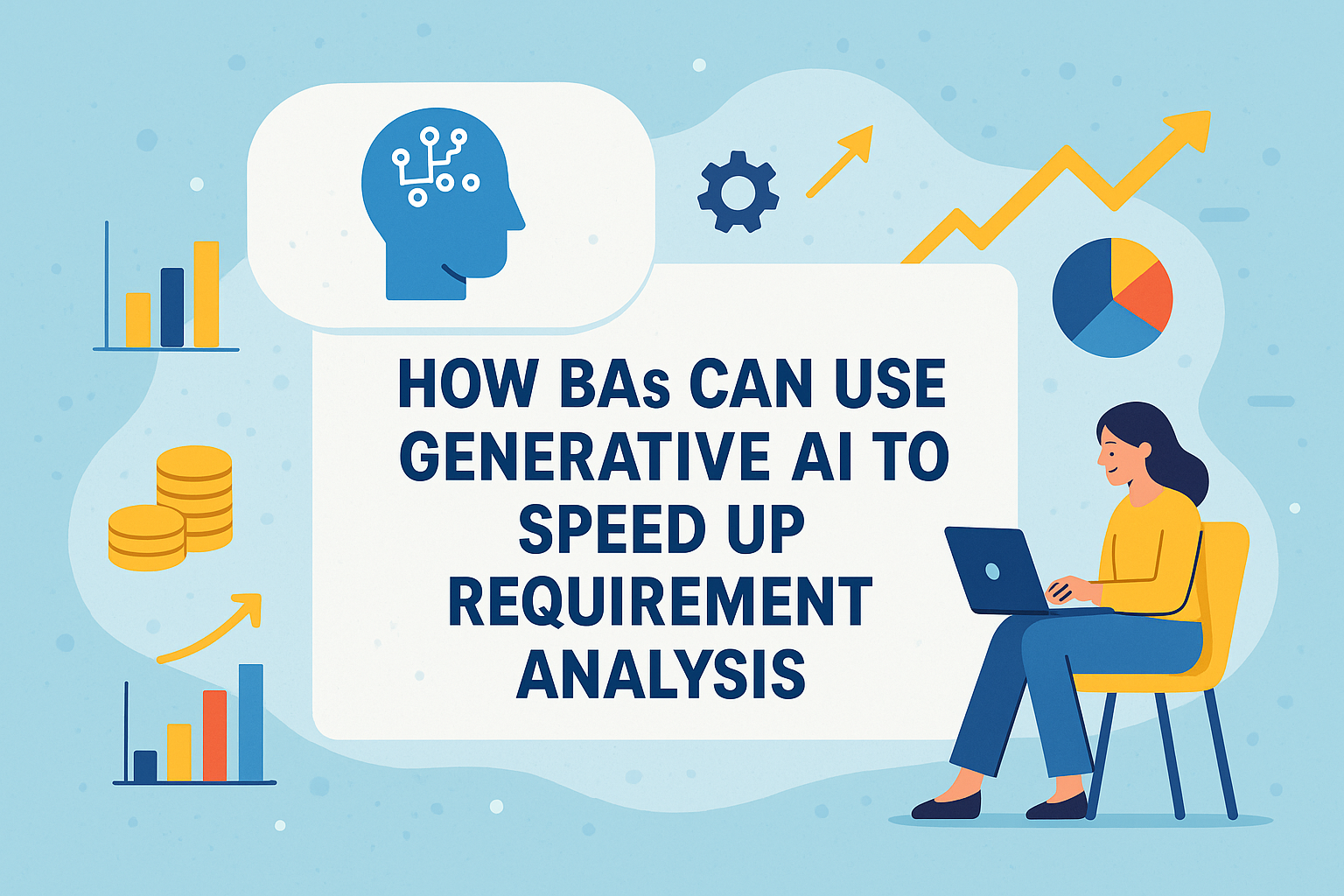
Discover how Business Analysts can use Generative AI to speed up requirement analysis, improve accuracy, and boost productivity with real-world use cases.
🌟 Introduction: The New Age of Smart Analysis
Imagine finishing a complete Business Requirement Document (BRD) in hours instead of days — and with fewer errors. Sounds impossible? Not anymore.
Generative AI (GenAI) tools like ChatGPT, Claude, Gemini, or Copilot are reshaping how Business Analysts (BAs) work — from capturing stakeholder needs to drafting use cases and user stories. Instead of spending endless hours writing or reformatting requirements, AI can now generate, summarize, validate, and even simulate scenarios for you. Let’s explore how you, as a BA, can use Generative AI to work smarter, faster, and with more confidence
🧩 What Is Generative AI in Requirement Analysis?
Generative AI refers to AI systems capable of creating new content — text, diagrams, process flows, or documentation — based on the data or prompts you provide.
In requirement analysis, that means:
- Converting meeting notes into clear requirements
- Generating acceptance criteria automatically
- Translating business goals into technical specifications
- Creating visual diagrams and workflows
In simple terms, AI becomes your co-pilot — helping you capture, clarify, and communicate requirements faster.
💡 Why Traditional Requirement Analysis Slows You Down
Every BA knows the pain points:
- Hours spent documenting and rewriting requirements
- Miscommunication between stakeholders and developers
- Repetitive formatting of BRDs, FSDs, or user stories
- Manual creation of diagrams, flowcharts, and test cases
These tasks are vital — but they take time. Generative AI helps automate the heavy lifting so you can focus on insight and strategy
⚙️ How BAs Can Use Generative AI Step-by-Step
Step 1: Gather Raw Inputs
Use AI to summarize stakeholder meetings, interview transcripts, and chat logs.
🧰 Example Prompt:
“Summarize this transcript into key business requirements and categorize them by functional area.”
Step 2: Convert Needs into Clear Requirements
AI can help refine vague statements like “We want faster client onboarding” into SMART, measurable requirements.
🧰 Example:
“Generate clear business and functional requirements for improving client onboarding efficiency.”
Step 3: Create User Stories & Acceptance Criteria
You can feed AI with personas or process details, and it can generate structured user stories.
🧰 Example Prompt:
“Write 10 user stories for a mobile banking app with acceptance criteria using INVEST principles.”
Step 4: Generate BRD/FSD Templates
AI can create professional BRD or FSD documents with clear headings, tables, and version control sections.
🧰 Example:
“Create a BRD structure for a Wealth Management Onboarding System with purpose, scope, requirements, risks, and dependencies.”
Step 5: Visualize With Diagrams
AI-powered tools (like Whimsical, Miro AI, or Lucidchart AI) can instantly generate:
- Process flow diagrams
- Data flow diagrams (DFDs)
- Entity Relationship Diagrams (ERDs)
🧰 Example:
“Generate a Level 1 DFD for an online loan application process.”
Step 6: Validate and Detect Gaps
GenAI can detect contradictions or missing data in your requirements.
🧰 Example:
“Review this BRD and highlight missing dependencies or unclear acceptance criteria.”
Step 7: Translate Requirements Across Teams
AI can translate your document into:
- Developer-friendly technical specs
- Client summaries
- Agile backlog items in Jira format
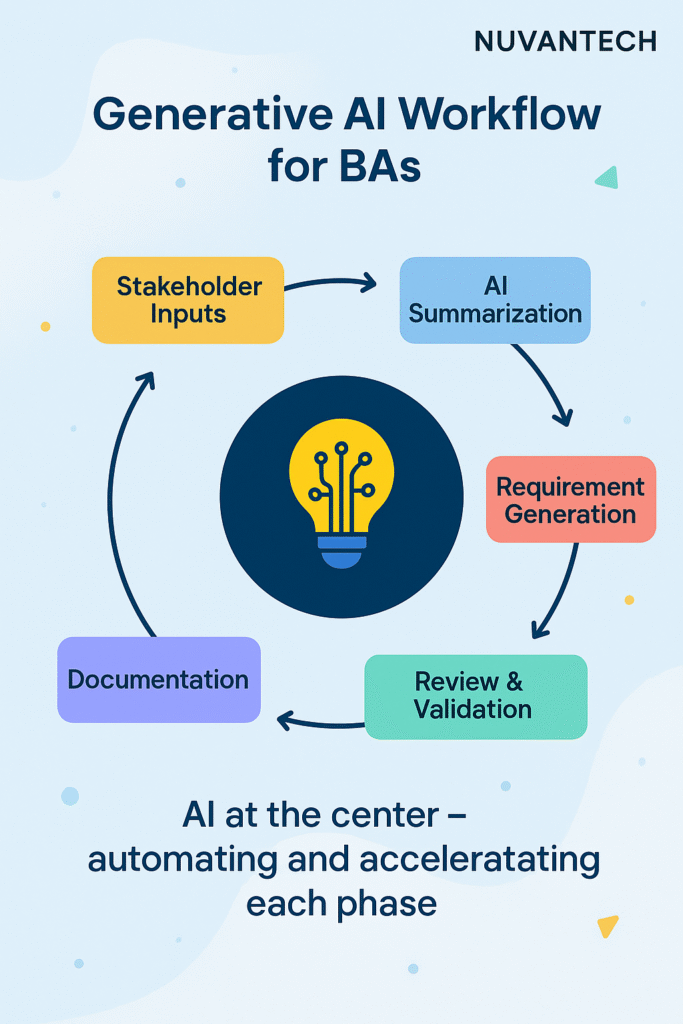
📊 Diagram: Generative AI Workflow for BAs
🚀 Key Benefits of Using Generative AI in Requirement Analysis
| Benefit | Description |
| ⏱️ Speed | Automate documentation and analysis tasks that used to take hours. |
| 📋 Accuracy | AI identifies inconsistencies and improves requirement clarity. |
| 🧠 Knowledge Retention | AI learns from past projects and maintains context across versions. |
| 💬 Better Collaboration | AI generates summaries and Jira-ready tickets to keep all teams aligned. |
| 💰 Cost Efficiency | Reduces human error and time wastage, leading to faster delivery. |
| 🔍 Traceability | Generates traceability matrices linking requirements to user stories and test cases. |
🧭 Real-World Use Cases
- Banking & FinTech – Generate detailed workflows for KYC, AML, or onboarding automation.
- E-Commerce – Draft product catalog rules, order flow logic, and payment gateway specs.
- Healthcare – Convert patient journey data into process flows and compliance-ready documentation.
- Insurance – Summarize claim workflows and generate risk-mitigation requirement sets
🧠 Pro Tips for BAs Using Generative AI
- ✅ Start small: Use AI for summaries and story drafts before full automation.
- 🧾 Review everything: AI speeds up, but you remain accountable for accuracy.
- 💬 Use custom prompts: The more context you give, the better the output.
- 🧩 Integrate tools: Connect ChatGPT, Jira, Confluence, or Notion for seamless flow.
- 📈 Track improvement: Measure saved time and documentation accuracy to prove ROI
🔮 Future Trends: What’s Next for AI-Powered BAs?
| Trend | Description |
| 🤖 Conversational Requirement Gathering | Voice-based AI tools that record meetings and convert them into BRDs instantly. |
| 🧩 AI-Driven Traceability | Auto-generated RTMs linked across systems for live updates. |
| 📊 Predictive Requirement Analytics | AI will predict potential project risks and requirement gaps. |
| 💡 AI Pair-Analysis | Two AIs collaborating with a BA — one for content generation, one for validation. |
🏁 Conclusion: Your AI-Powered BA Journey Starts Now
Generative AI isn’t here to replace Business Analysts — it’s here to empower them.
By using AI to automate repetitive documentation and analysis tasks, you gain more time to focus on creativity, strategy, and stakeholder value.
If you start integrating AI today, you’ll soon find yourself delivering faster, more consistent, and smarter results — and that’s exactly what future-ready organizations want.
💬 So, what’s stopping you? Try AI for your next requirement-gathering session — and experience the difference.