







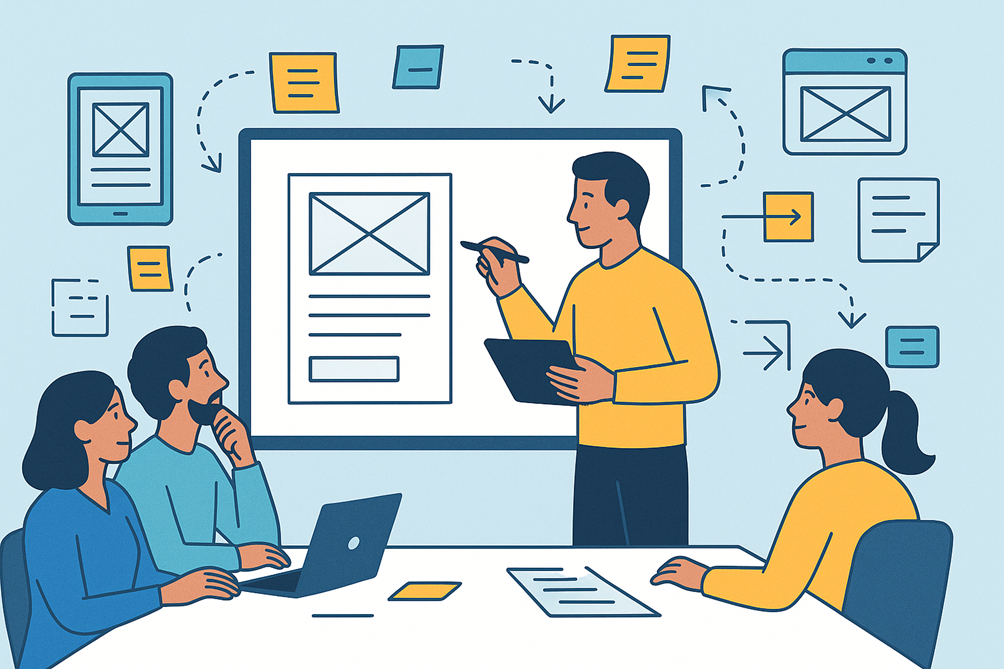
“Learn wireframing for non-designer BAs — step-by-step guide with benefits, tools, best practices, and future trends to visualize requirements effectively.”
✨ Introduction: Why Wireframes Are a BA’s Secret Superpower
Have you ever described a feature in words only to realize later that everyone pictured something different?
That’s why wireframes exist. They let you show what you mean before a single line of code is written.
Wireframes aren’t just for designers — Business Analysts (BAs) can create simple, functional wireframes to communicate ideas effectively between stakeholders and tech teams.
In this blog you’ll learn:
- What wireframes are and why they matter
- Key benefits for projects and stakeholders
- Step-by-step guide for non-designers
- Tools, tips, future trends, and real-world examples
📝 Section 1: What is a Wireframe?
A wireframe is a low-fidelity visual representation of a page or screen layout.
Think of it as a blueprint of an app or website — it shows structure and placement but not the final design colors or branding.
🔑 Key Features of a Wireframe:
- Focuses on layout, navigation, and information hierarchy
- Uses boxes, placeholders, arrows, and labels instead of polished graphics
- Helps teams visualize ideas early without wasting time on visual design
👉 Example:
For a banking app’s login screen, a wireframe would show:
- Logo placeholder
- Username & password fields
- Login button
- “Forgot Password” link
💡 Tip: A wireframe answers “where things go and how users move,” not “what colors or fonts to use.”
📘 Section 2: Why Wireframes Matter for BAs
BAs often serve as the bridge between business stakeholders and developers
| Benefit | Why It Matters |
| Clarity & Alignment | Reduces misunderstandings about features |
| Faster Feedback Loops | Stakeholders react quicker to visuals than text |
| Cost Savings | Cheaper to fix in wireframe stage than post-development |
| Better Documentation | Becomes a reusable artifact in BRDs, FRDs, or Jira tickets |
| Stronger Collaboration | Designers & devs know exactly what’s expected |
📊 Industry Insight:
According to the Nielsen Norman Group, visual prototypes reduce requirement ambiguity by up to 45% during early project phases.
🔎 Section 3: Low-Fidelity vs High-Fidelity Wireframes
| Type | Description | When to Use |
| Low-Fidelity | Simple sketches with boxes & labels | Early brainstorming, workshops, quick validation |
| Mid-Fidelity | Digital gray-scale wireframes with alignment | During requirement elaboration |
| High-Fidelity | Interactive mockups with colors & branding | For usability testing or design sign-off |
🪜 Section 4: Step-by-Step Guide — Wireframing for Non-Designers
Step 1: Understand the User Flow
- Identify actors, entry points, and outcomes
- Example: “Customer → selects product → adds to cart → checks out
Step 2: Sketch on Paper or Whiteboard
- Draw boxes for headers, menus, forms, buttons
- Don’t worry about perfection — keep it quick & rough
Step 3: Label Every Element
- Add notes like “Primary CTA button” or “Optional field”
- Use arrows to show interactions or navigation
Step 4: Digitize Using Simple Tools
- Recommended free/low-cost tools:
- Balsamiq – very beginner-friendly
- Miro / MURAL – great for remote workshops
- Draw.io / Lucidchart – for structured diagrams
- Figma / Adobe XD – for mid/high-fi wireframes
Step 5: Validate with Stakeholders
- Walk them through screens step by step
- Ask: “Is this how you imagine the user will navigate?”
Step 6: Iterate Quickly
- Update based on feedback
- Keep version numbers & timestamps for documentation
Step 7: Link to BRDs & Jira Stories
- Attach wireframes to requirement documents
- Improves traceability & test case preparation
🔗 Section 5: Common Wireframe Components BAs Should Know
| Component | Purpose |
| Header / Navigation | Shows how users move across pages |
| Forms / Fields | Captures data entry points |
| Buttons / CTAs | Indicates primary user actions |
| Placeholders (images) | Visual spots for graphics or ads |
| Pop-ups / Modals | Represents alerts or optional actions |
| Annotations | Explains special behaviors or rules |
🚀 Section 6: Best Practices for Non-Designer BAs
- ✅ Keep it simple & monochrome initially
- ✅ Focus on functionality, not aesthetics
- ✅ Use consistent iconography & fonts for readability
- ✅ Always include annotations for dynamic fields or rules
- ✅ Avoid clutter — show only what’s needed for that screen
💡 Pro Tip: A clear wireframe with labels is often more valuable than a colorful but unclear mockup.
🛠️ Section 7: Tools Comparison Snapshot
| Tool | Ease of Use | Collaboration | Price | Best For |
| Balsamiq | ★★★★★ | ★★★★☆ | Paid (trial) | Non-designers, simple sketches |
| Miro | ★★★★☆ | ★★★★★ | Freemium | Workshops, team brainstorming |
| Draw.io | ★★★★☆ | ★★★★☆ | Free | Quick diagrams & flowcharts |
| Figma | ★★★★☆ | ★★★★★ | Freemium | Interactive mid/high-fi mockups |
🌟 Section 8: Real-World Example
Scenario: Food Delivery App
- BA creates low-fi wireframes of:
- Home screen with restaurant cards
- Menu listing & item details
- Checkout flow
Outcome: Stakeholders quickly approve the flow, saving 3 weeks of back-and-forth emails
🌍 Section 9: Future of Wireframing
- AI-powered wireframe generators – convert plain text requirements into draft wireframes
- Voice-enabled prototyping – describe a screen, get instant layouts
- Integrated Dev Handoff – tools exporting wireframes directly into code frameworks
⚡ Trend Insight: By 2026, at least 50% of wireframing tools will offer AI-assisted layout suggestions, saving hours for BAs.
🏆 Section 10: Quick BA Wireframing Checklist
✅ Understand user goals & flows
✅ Start with paper sketches → digitize later
✅ Keep early wireframes low-fi & focused
✅ Annotate all functional elements
✅ Review iteratively with stakeholders
✅ Link final wireframes to BRDs & user stories
🏁 Key Takeaways
- Wireframes help align everyone early and reduce costly changes.
- Non-designer BAs can easily create wireframes using the right tools.
- Start with low-fi sketches, validate often, iterate quickly.
- Wireframing is not about art — it’s about clarity and communication
💬 Conclusion: Visualize to Realize
Wireframes act as a shared visual language for BAs, stakeholders, and tech teams.
👉 If you’ve never created one, start with a simple login screen sketch today — you’ll be amazed how much smoother discussions become.
💡 Call to Action:
Share this guide with fellow BAs or PMs who struggle to explain requirements — wireframing might become their favorite skill!